Getting Started
Let people book you, without the back-and-forth.
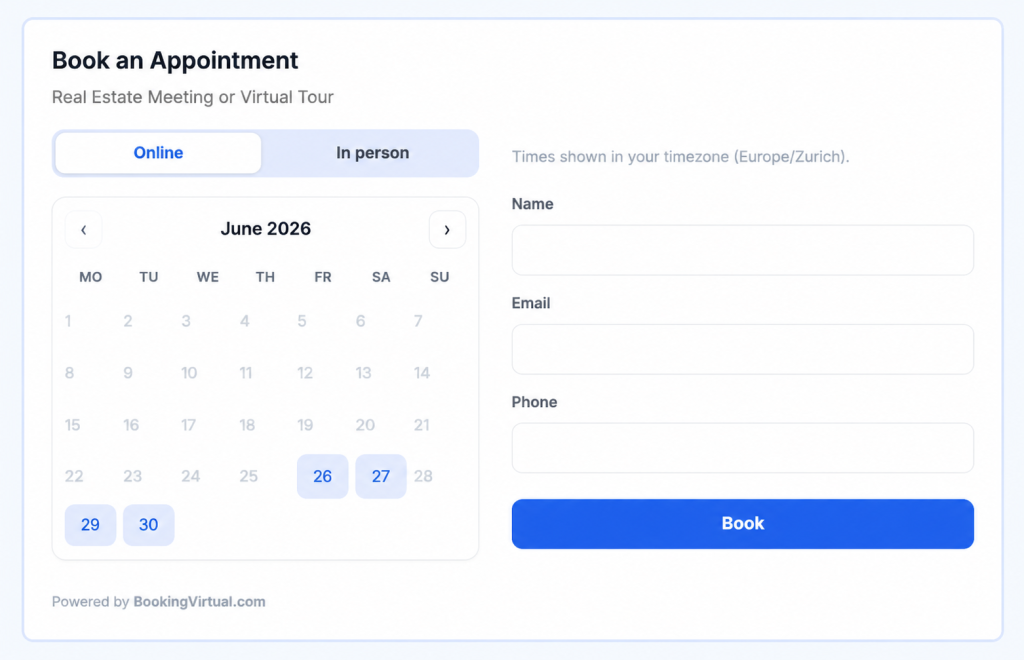
BookingVirtual gives you your own booking page. You set when you’re free; people pick a time in their own timezone. Confirmations, reminders, and reschedules happen on their own.
Why it helps
Stop trading messages to find a time.
Scheduling shouldn’t take five emails. Share one link and let people pick from the times you’re actually free.
No more email ping-pong
Share one link instead of suggesting times back and forth. People only see the slots you’re open.
Works across timezones
Everyone sees times in their own timezone — no more “is that your 3pm or mine?”
Fewer no-shows
Automatic confirmations and reminders keep every booking on people’s radar.
How it works
From sign-up to first booking.
1. Create your account
Sign up in about a minute. You get your own booking page straight away — no setup project, no install.
2. Set your availability
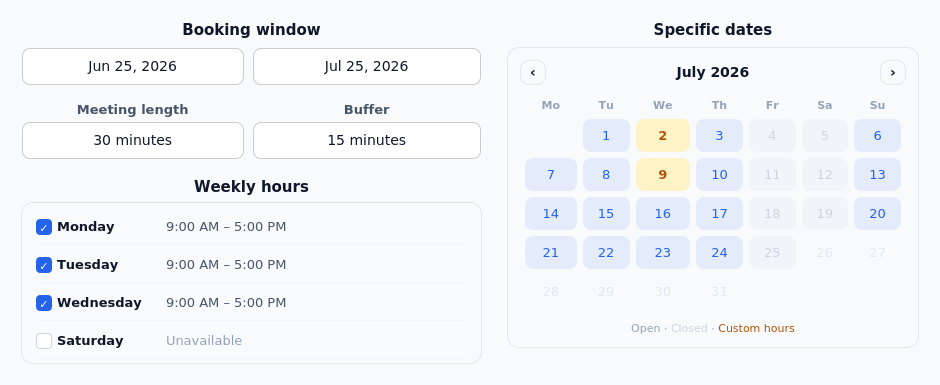
Choose your weekly hours, set how long a meeting runs, and add a buffer between bookings. Need a one-off change? Open a specific date to give it different hours or mark it closed.
3. Share your link — or embed it
Send people your booking link and they can book right away. Want it on your own website? Paste one line of code and the calendar appears in the page.
4. Manage everything in one place
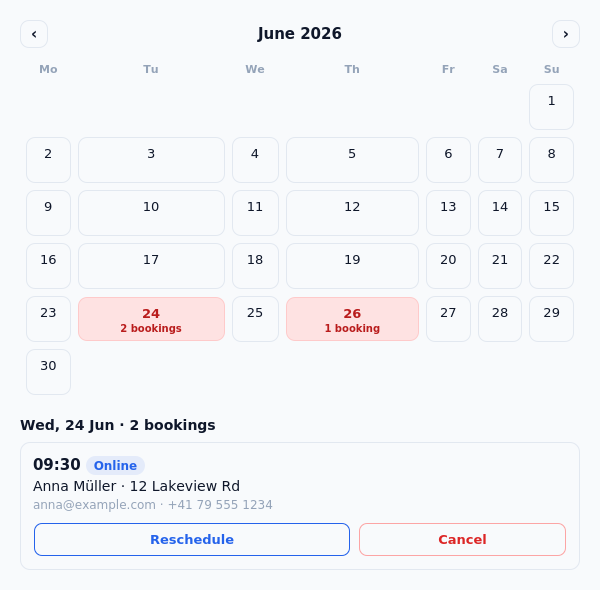
Your bookings show up on a calendar — booked days stand out. Open a day to see who’s coming, then reschedule or cancel in a couple of clicks. The other person is notified automatically.
Handled for you
Email that takes care of itself.
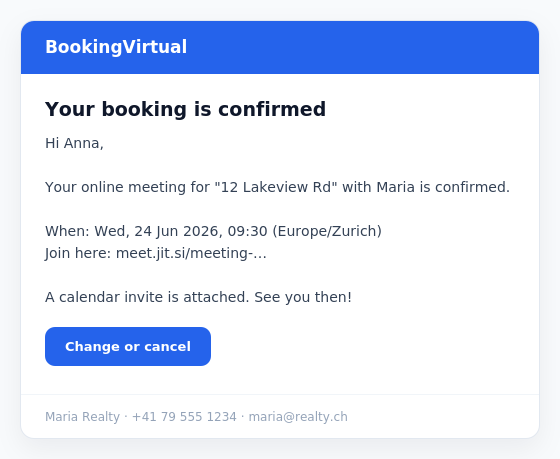
Every booking sends a clean, branded confirmation with a calendar invite attached. Reminders go out before the meeting — to your guest, and to you if you want. You can add your own intro line and signature.
In the box
Everything you’d expect.
The essentials for taking bookings, without the bloat.
Timezone-aware
Times always shown in the visitor’s own timezone.
Online or in person
Online creates a video link automatically; in person shows your address.
Reschedule & cancel
Guests can change their own booking from a secure link.
Reminders
Send one or several reminders before each booking.
Buffers & notice
Add gaps between meetings and a minimum notice before booking.
Embed anywhere
Share a link or drop the calendar into your site.
BookingVirtual allows calendar owners to customize the appointment booking experience by adding questions to their scheduling forms. These questions can be used to collect important information from attendees before the meeting, such as contact details, preferences, project requirements, or any other relevant information. By gathering this information in advance, calendar owners can better prepare for appointments, streamline communication, and provide a more personalized experience for their clients.
Ready to share your calendar?
Create your booking page and send your first link today. Create your calendar